

Your whole fleet on one screen
See where every vehicle is now, whether it is moving or standing with the engine on, and who is driving. Know what needs your attention before you search for it.
Status by colour and shape
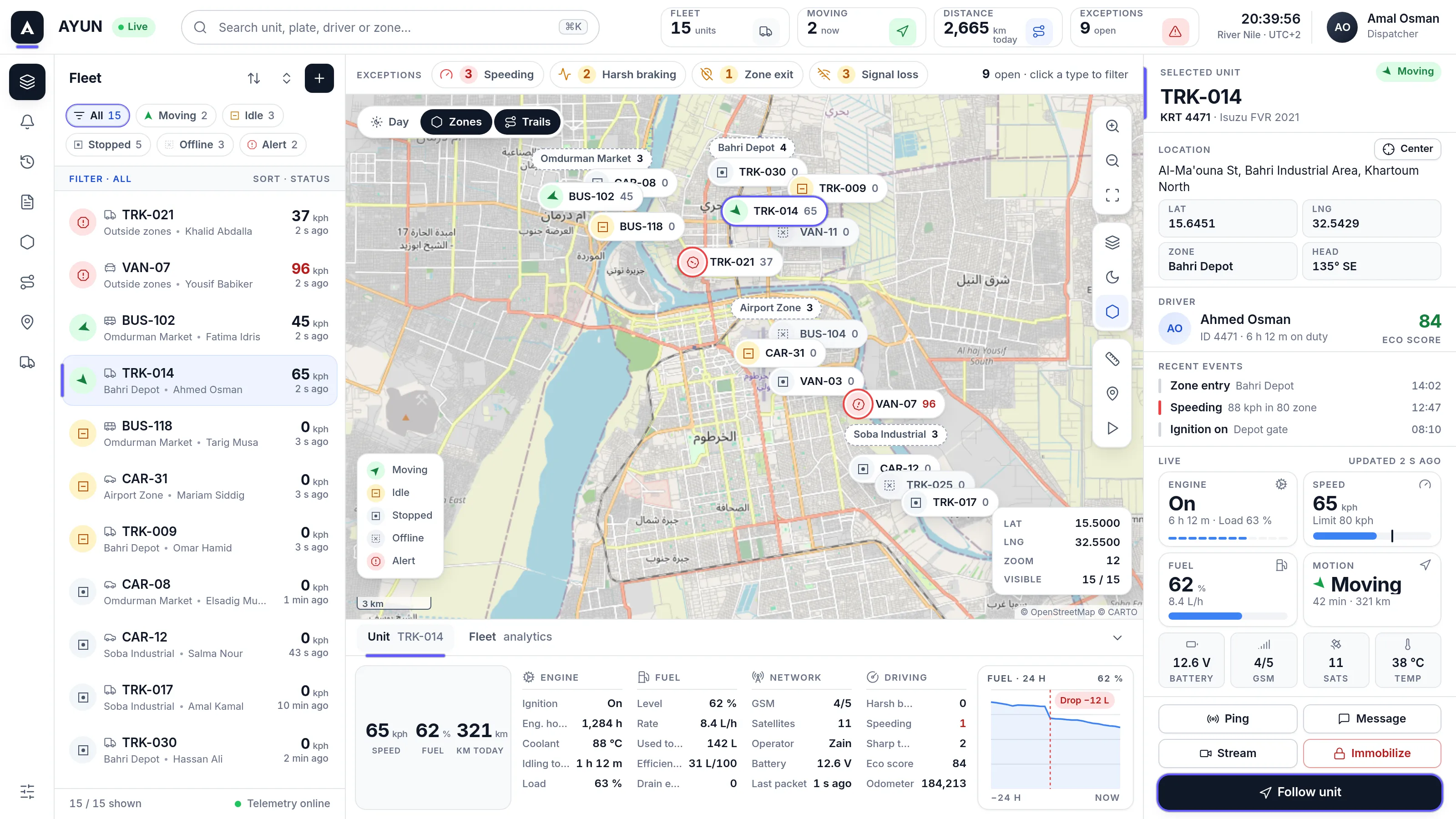
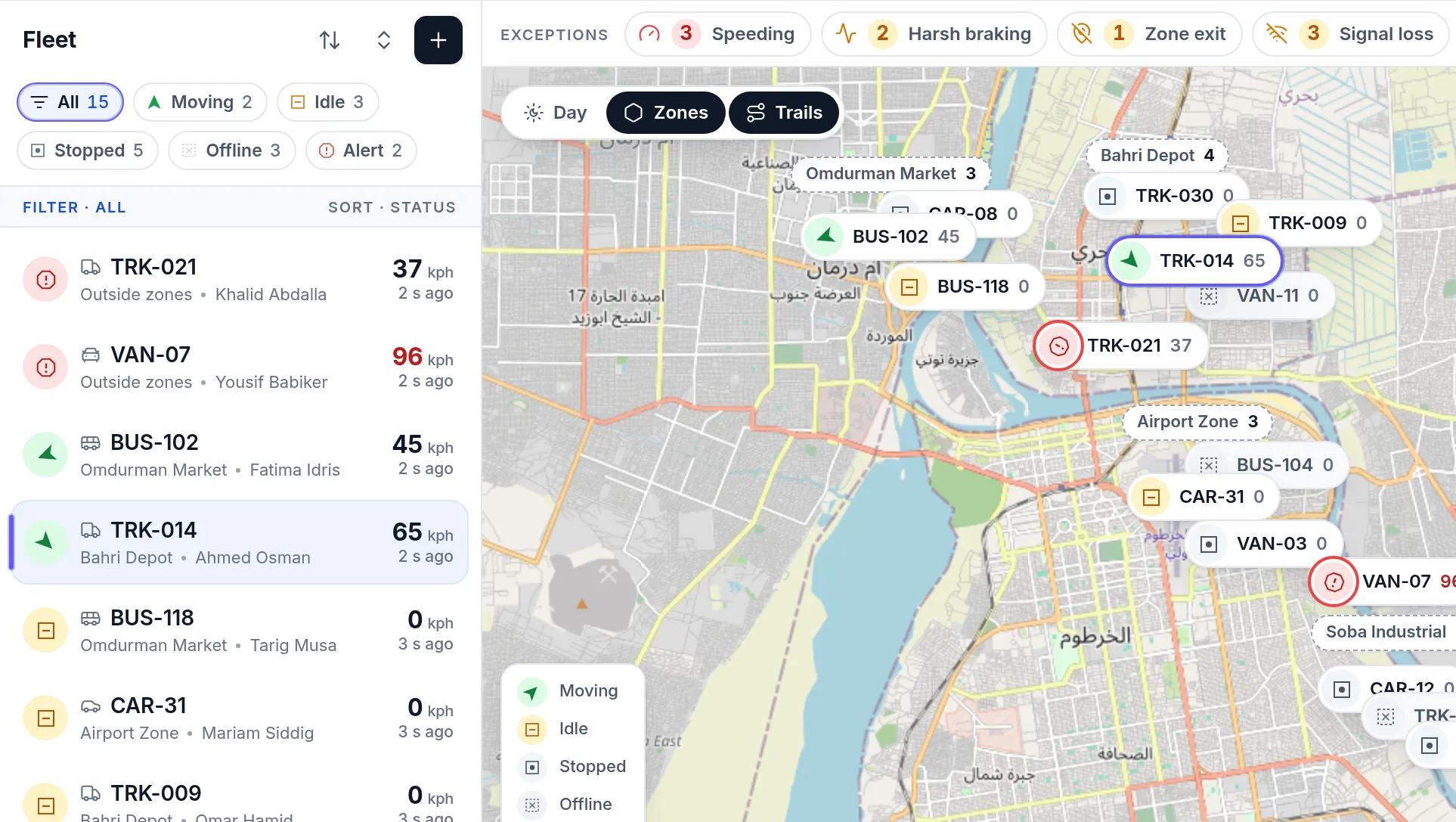
Moving, idle with the engine on, stopped, offline or in alert. Each has its colour and shape, so a parked truck never looks like an alarm.
Exceptions first
A strip above the map counts speeding, harsh braking, zone exits and lost signal over the last day. One click filters the list.
History as it happened
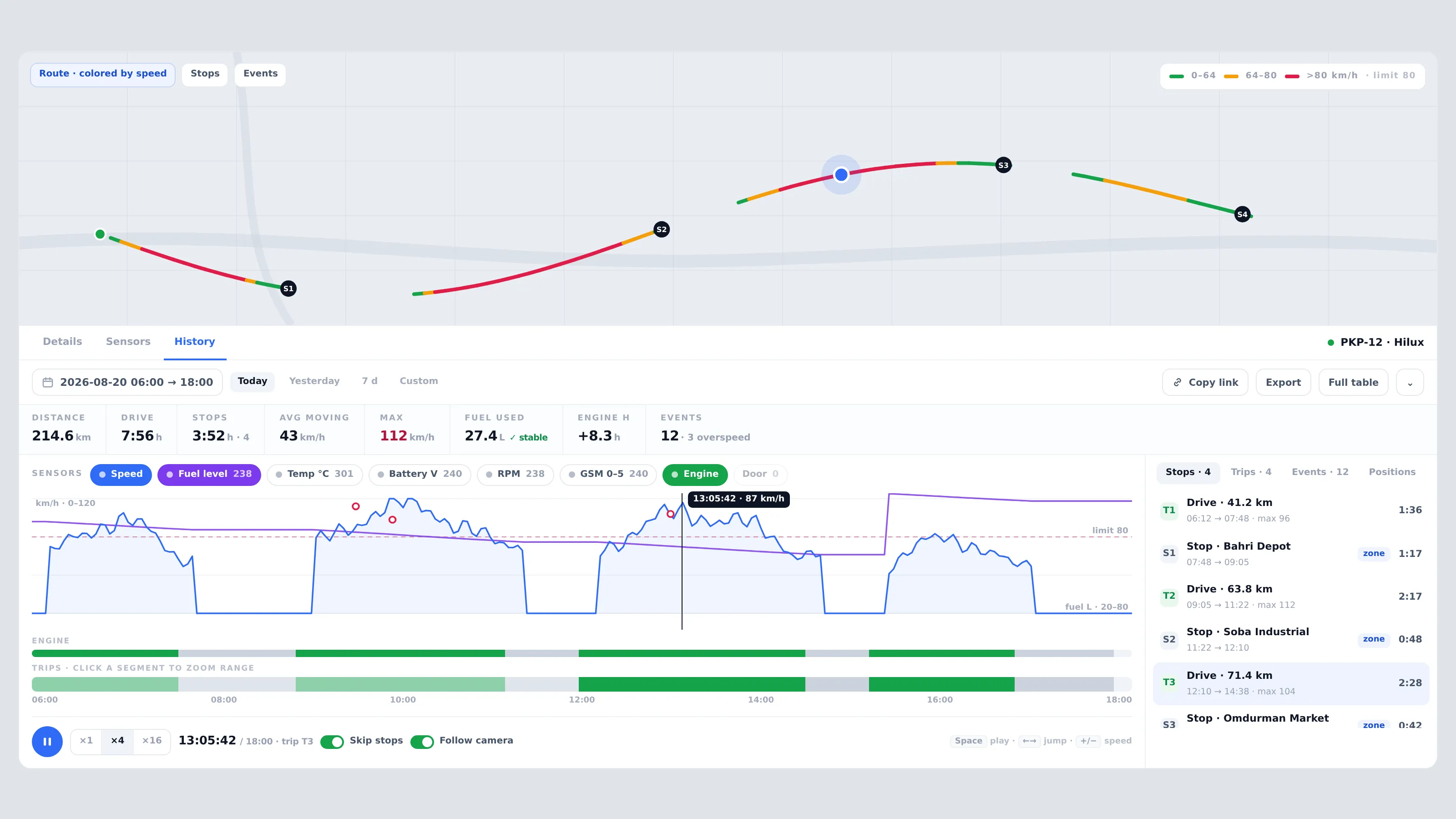
Replay any trip on its real route, coloured by speed. Where the device went silent you see a gap, not a false straight line.
Every vehicle, as it is now
Vehicles move on the map in real time and group together as you zoom out. The top bar shows how many vehicles you have, how many are moving now, today's distance and the last day's events. One search box finds a vehicle by name, plate or device number, or a driver or a zone.
The platform processes about 1 million location updates a day.
- New vehicles show in grey until their first position arrives
- Follow one vehicle in its own window, with speed and address
- The screen reopens where you left it
- Works in a phone browser too
Exceptions first, then the list
A strip above the map counts what needs your attention over the last day: speeding, harsh braking, zone exits and lost signal. Click a type and the list keeps only the vehicles involved. The list has a counter for each status, sorting, and columns you choose and save by name.
- Search by plate, device number or driver
- Columns for driver, voltage, load, zone and your sensors
- Filters by vehicle type, subscription and tags
- A drivers tab and a trailers tab
- Warning icons that appear only when needed
A panel for every vehicle
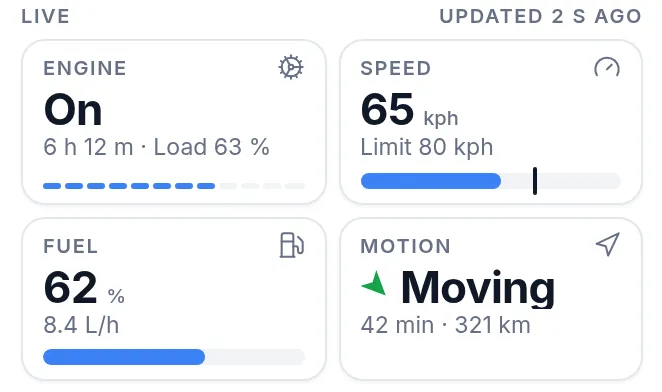
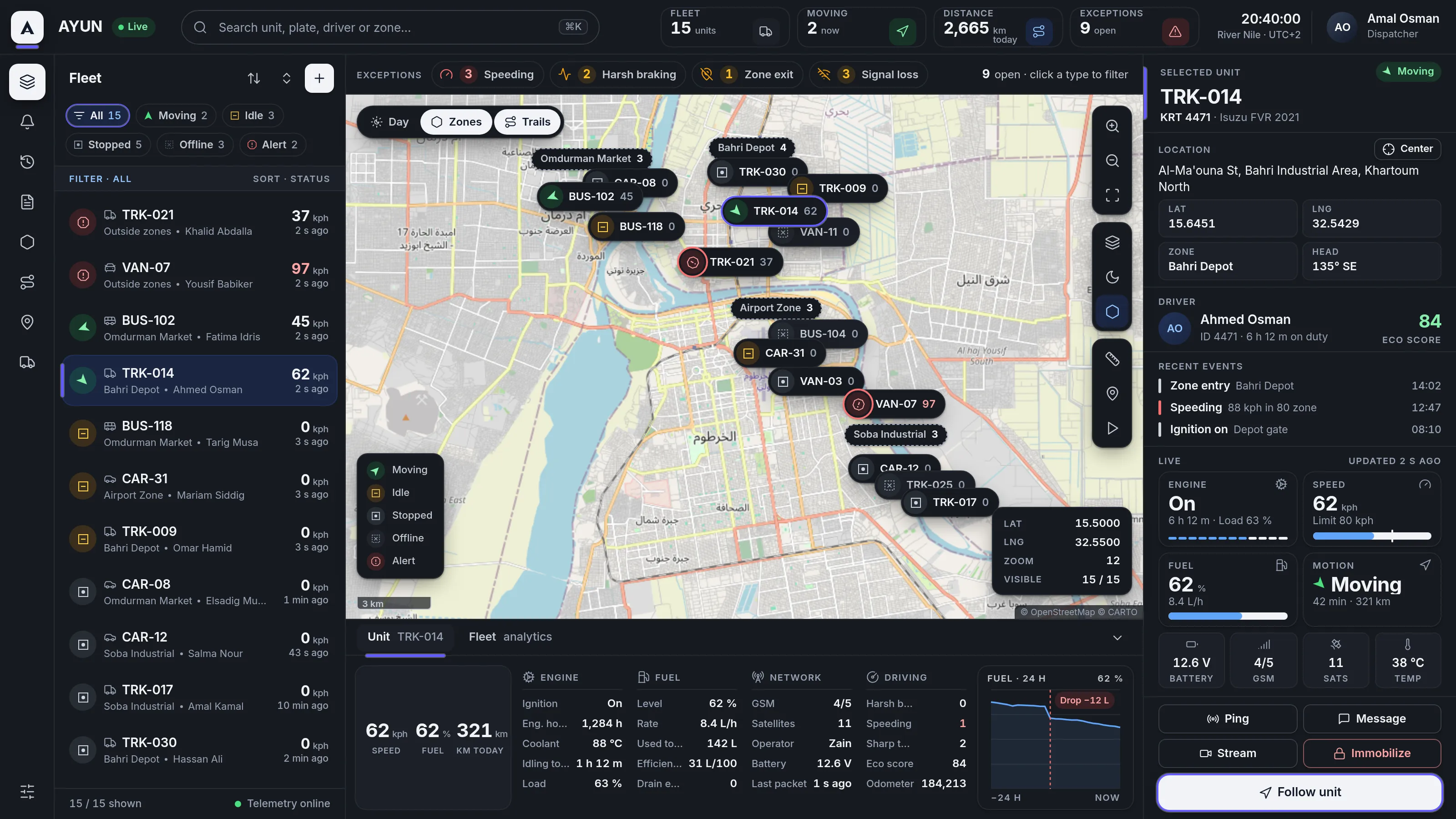
Click a vehicle to open its panel: address, coordinates and zone, the driver and today's driving score, and its latest events. Below come live readings for engine, speed, fuel and motion, then battery, signal strength, satellites and temperature.
The Widgets tab builds gauges from the vehicle's own sensors, such as fuel in one or two tanks, temperature, doors and load. Drag any gauge onto the map to keep it in view.
- Today's activity: moving, idling, distance and trips
- Fuel wasted idling today
- Set a destination to see the distance left and arrival time
- Add an expense straight from the panel
- Stopping the engine requires typing the plate to confirm
Tools on the map itself
Measure distance along roads, not in a straight line, between points you choose, and the platform suggests a stop order that shortens the route. Right-click any point to see its address, find your nearest vehicles by road, or share the location.
- Street, satellite and terrain maps
- Zones, routes and places on the map
- A layer showing where speeding and harsh driving repeat
- Switch off grouping, hide names, or show SOS vehicles only
- Night mode for the whole screen
History and playback
Pick today, yesterday or any period to see the route coloured by speed, with trips and stops on one timeline. Play a trip and the camera follows it, and plot fuel, temperature, engine or any sensor on one chart.
See every message the device sent, exactly as it arrived, and export it as a table. When a device goes silent while moving, the line breaks, and no false straight line is drawn in its place.
- Months and years of history, prepared day by day
- A time window that limits history to one shift
- Compare the routes of several vehicles on one map
- Save a route for off-route alerts or a job
Frequently asked questions
Can I see the map on my phone?
Yes. The screen works in a phone browser with a bottom menu, and the mobile app has the live map and history too.
What happens when GPS is jammed?
The jamming guard excludes fake positions from the map and history, so a parked vehicle doesn't jump around.
Does the screen stay fast with a big fleet?
Yes. The list stays fast with thousands of vehicles, and the map groups nearby vehicles as you zoom out.
Can I share a location or a route?
Yes. Share any point's location from the right-click menu, and a vehicle's route to its destination as a link or a ready-made message.
Related pages
Events centre
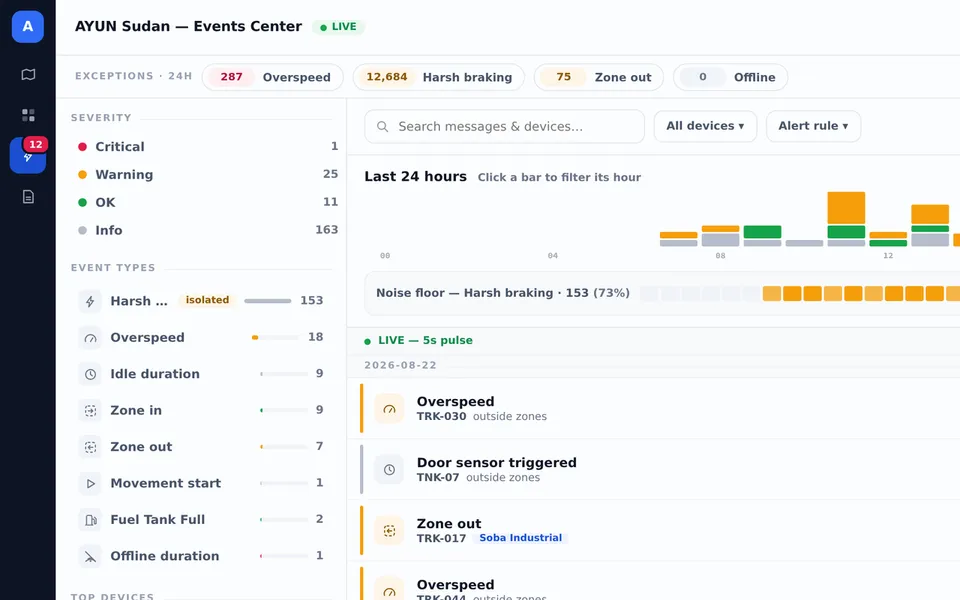
Every fleet event as it happens, with the noise set aside, full details, and alerts closed with an outcome.
Learn more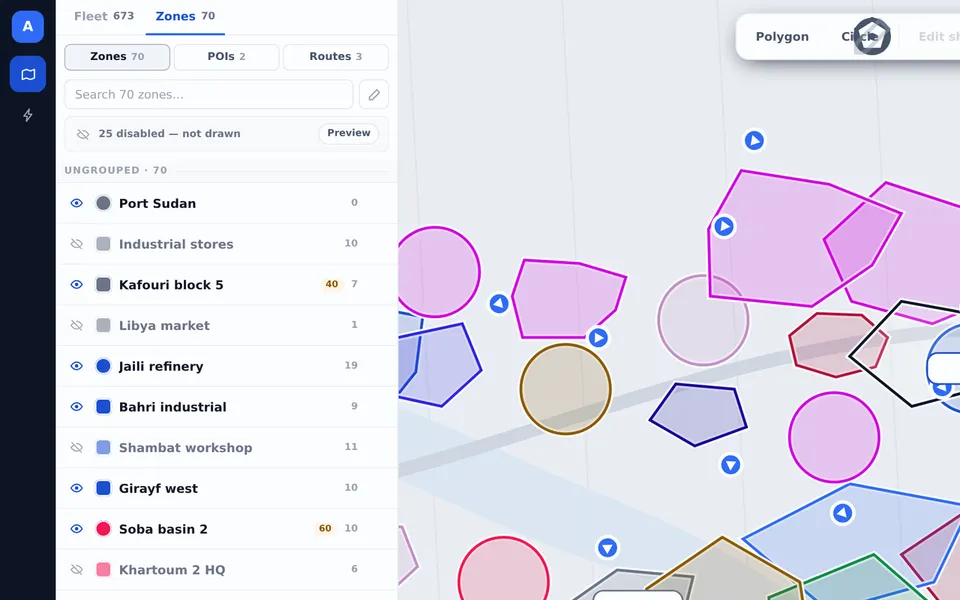
Zones
Zones you draw or import, points for your customers, routes, and alerts and reports on entry and exit.
Learn moreJamming guard
Detects jammed and spoofed GPS positions and excludes them from the map, history and reports.
Learn more


Book a demo of the platform on your fleet
We'll call you within one working day to set a time, then show you the platform on vehicles like yours.
We've received your request, and we'll call you within one working day.
Want a faster reply? Message us on WhatsApp +249 123 910 470