

What is happening in your fleet now
Events arrive as they happen, and the important ones don't get lost among repeats. Open any event to see where it happened, what triggered it and what came before.
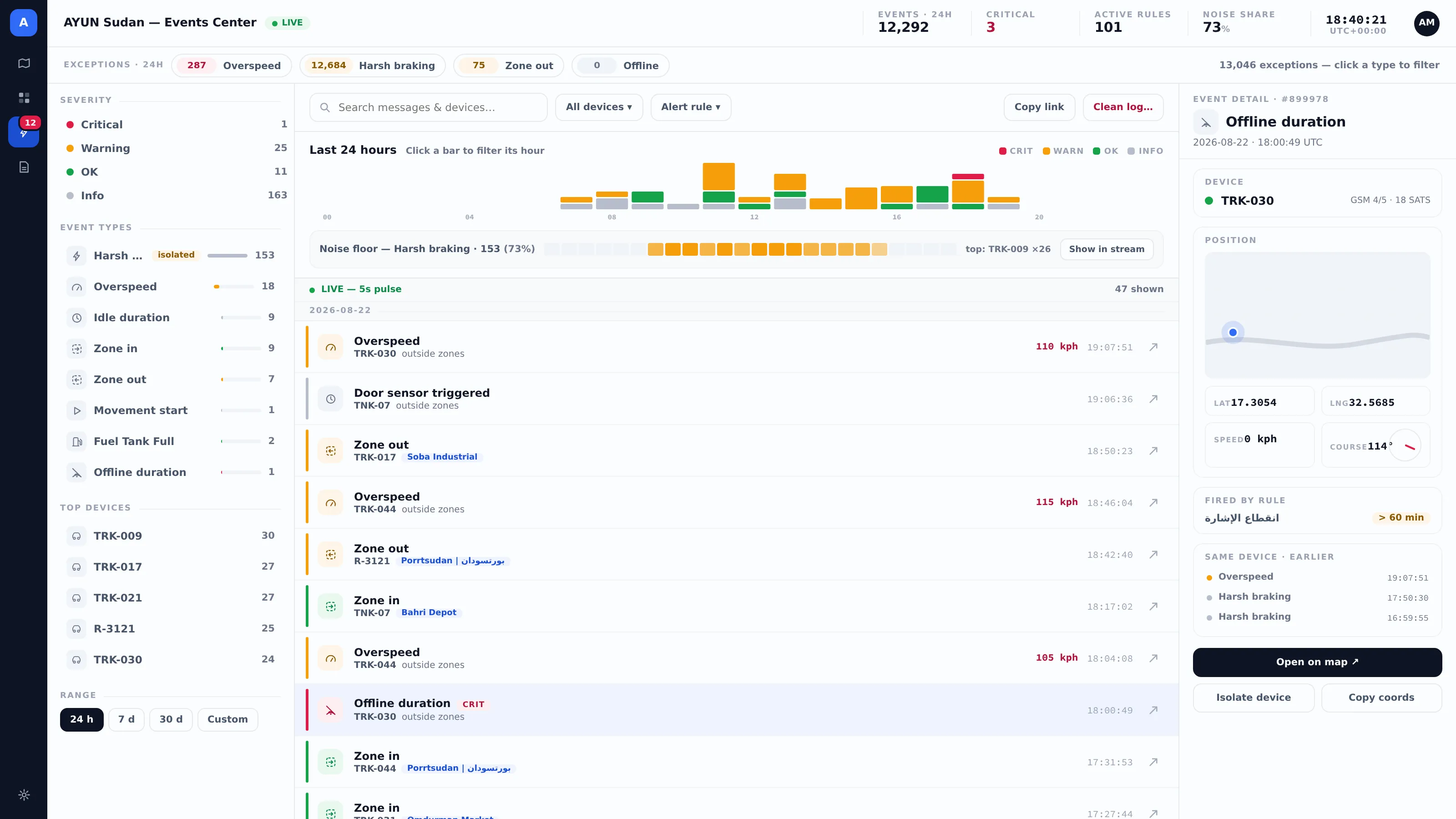
Noise in one line
The type filling the log is grouped in one line with the vehicles that repeat it most, and the list below keeps what needs your eye.
Critical events stand out
Every event has a severity colour, and a critical counter sits at the top, so a critical event shows even when it is rare.
Closed with an outcome
The operator acknowledges the alert and closes it with an outcome and a note: resolved, false alarm or sent to maintenance.
Events as they happen
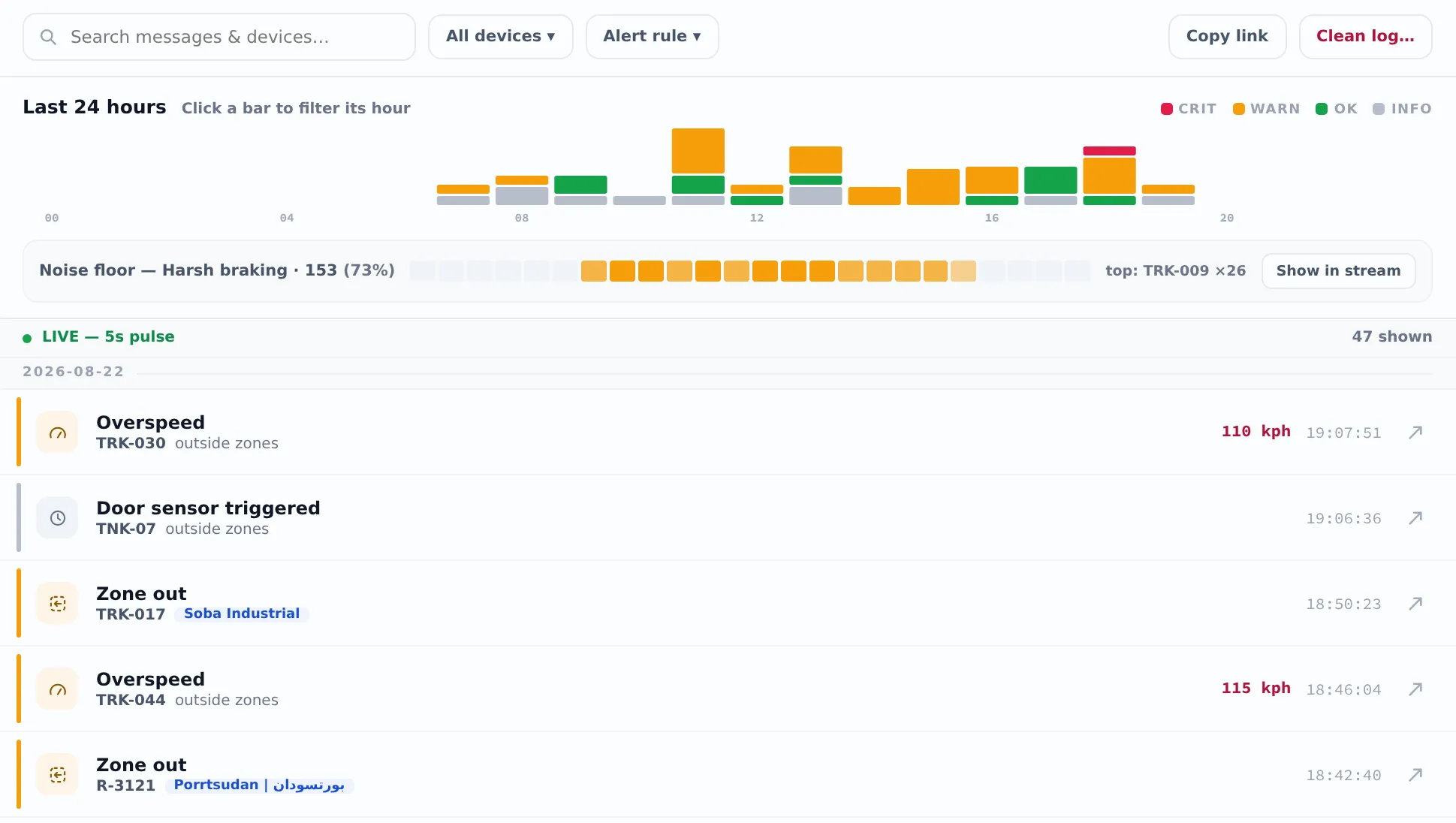
The log refreshes every few seconds. Each line shows the event and its severity, the vehicle, the zone where it happened, and the speed when that was the cause. One click opens its position on the map.
The type filling the log is set aside in one line above the list, with its count, its share and the vehicles that repeat it most. One click puts it back in the list. On one mining account in one day, the noise on screen fell by 85% once muted repeats were hidden, with nothing deleted.
- Search messages and vehicles
- Filter by vehicle, rule, type and hour
- Click a bar in the day chart to see that hour
- Copy a link that opens with the same filters
- Clean up the log when you choose
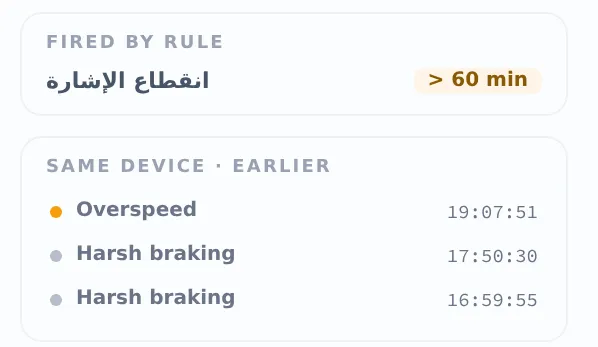
Details for every event
Open an event to see its position on a small map, its speed and heading, and the device's signal and satellites. You also see the rule that triggered it and what the same vehicle did just before. From there, open it on the map, isolate the vehicle in the log, or copy the coordinates.
Acknowledge and close with an outcome
The operator acknowledges the alert, then closes it with an outcome and a note. The outcome can be resolved, false alarm, driver contacted, sent to maintenance or team dispatched. An alert that must be closed stays in the open list until it is.
Closing it as sent to maintenance opens a maintenance record for the vehicle automatically. Reports on response time and closures by outcome show how your team performs.
Where and when violations repeat
A layer on the live map shows where speeding, harsh driving and crashes keep happening. On the dashboard, a grid of weekdays and hours shows when they happen. With one click, today's events appear on the live map.
Frequently asked questions
What is the difference between an alert and an event?
The rules you set produce events, and every event is kept in the centre. An alert is what reaches you from them: in the platform, on your phone, by e-mail or by SMS.
Is a muted event deleted?
No. Muted repeats are only hidden from lists, and stay stored.
Can I see events on my phone?
Yes. Alerts reach you as notifications on the mobile app, which has the same events list.
Can I share what I see with a colleague?
Yes. Copy the page link with its filters, and your colleague opens it with the same filters.
Related pages
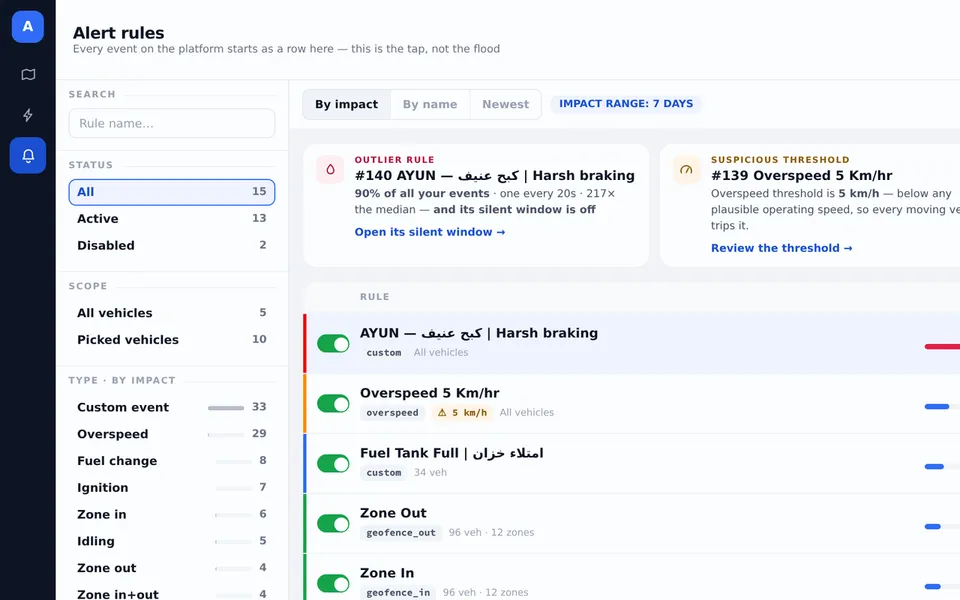
Alert management
Alerts with the types and channels you choose, each rule's impact in view, and fewer repeats reaching your team.
Learn more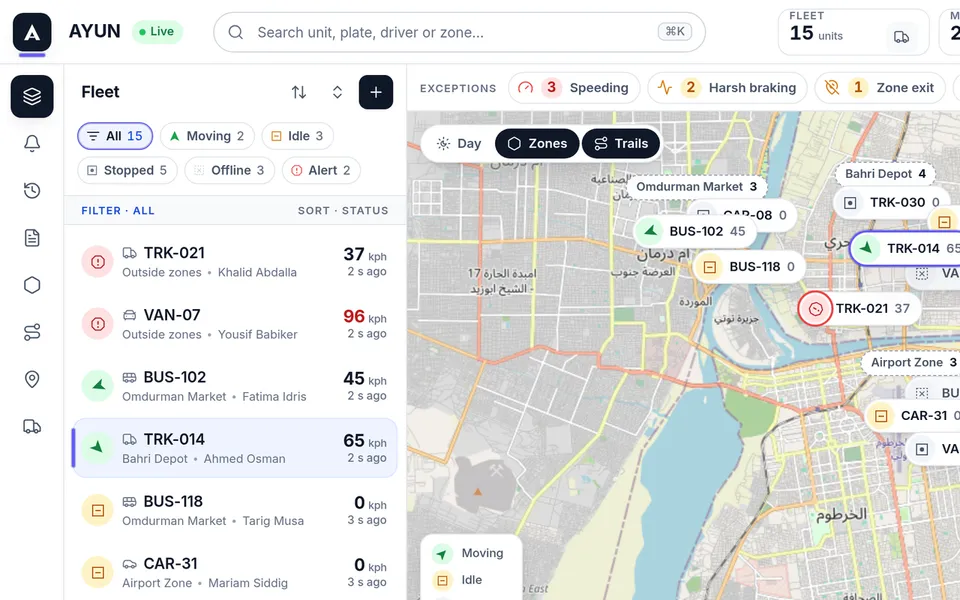
Live map
Every vehicle where it is now, with its status and driver, plus exceptions and history on the same screen.
Learn more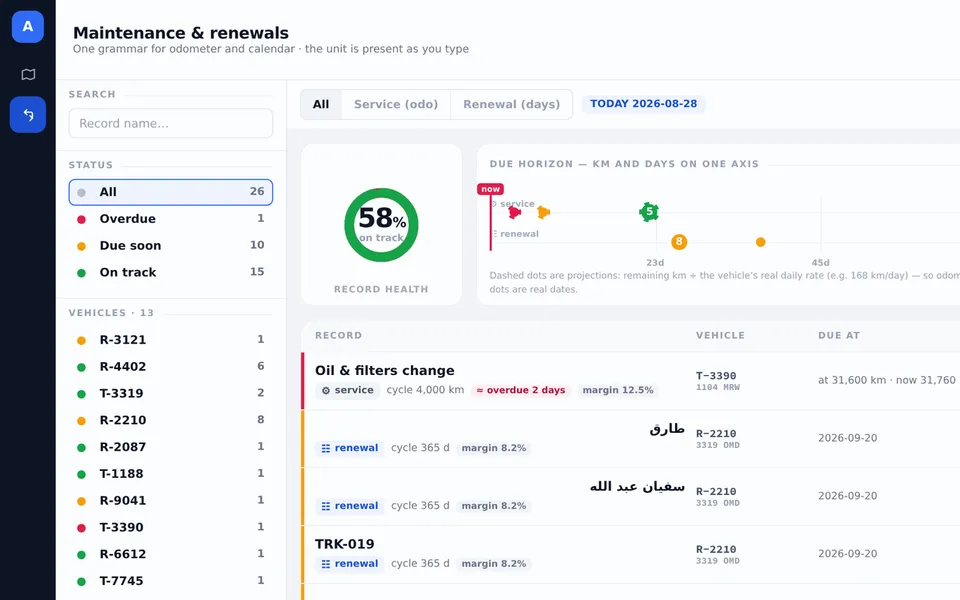
Maintenance and renewals
Service dates by kilometre, engine hour or day, licence renewals, and a log of the work done and its cost.
Learn more


Book a demo of the platform on your fleet
We'll call you within one working day to set a time, then show you the platform on vehicles like yours.
We've received your request, and we'll call you within one working day.
Want a faster reply? Message us on WhatsApp +249 123 910 470