

Know who is driving, and how
The platform recognises each driver by their card in the vehicle, and credits them with their trips, events and fuel. Compare your drivers by the numbers, not by impression.
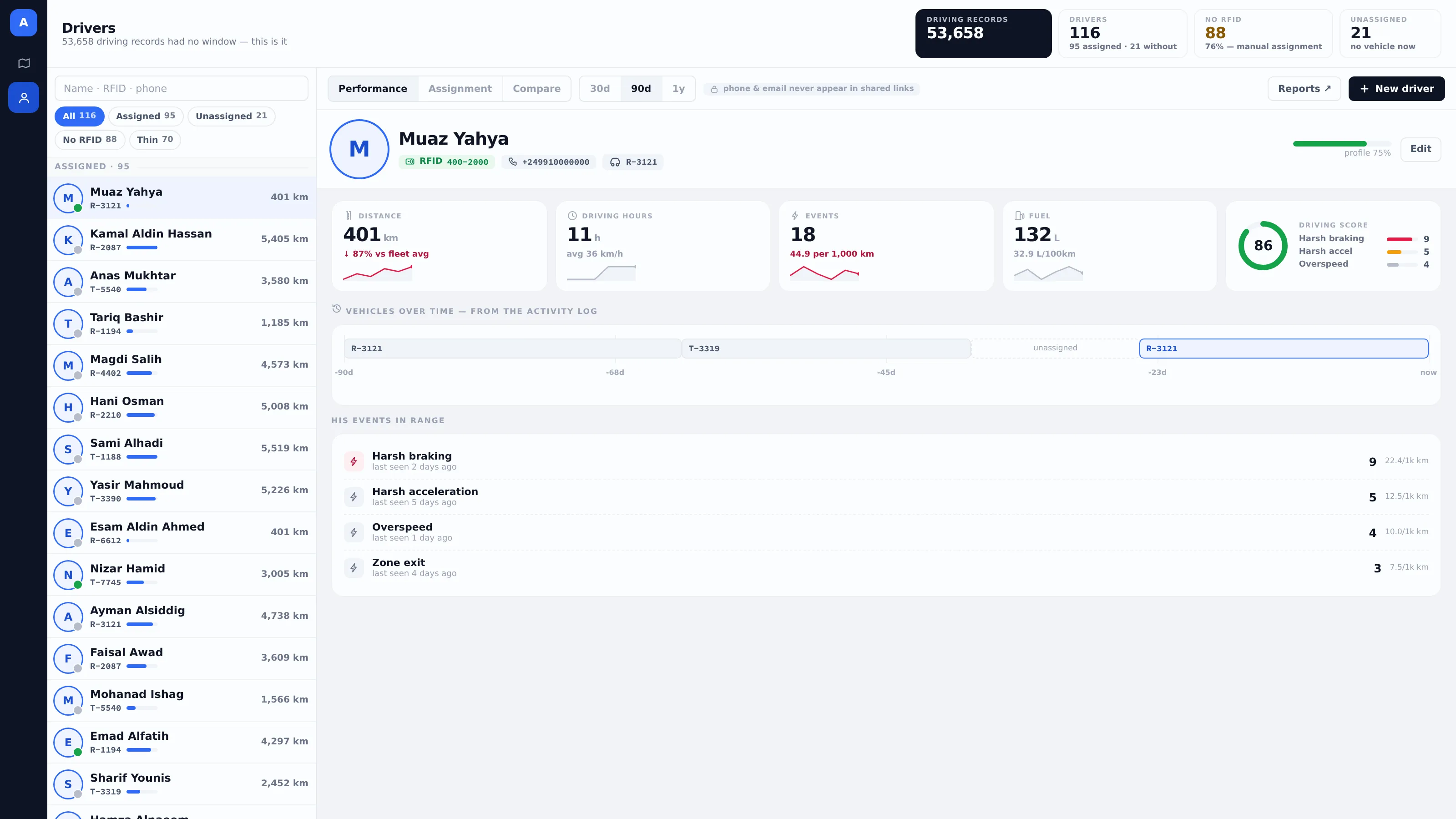
A page for every driver
Distance against the fleet average, driving hours, events relative to distance, fuel and driving score.
Who drove which vehicle
An RFID card, an iButton key or a BLE beacon identifies the driver, and a timeline shows the vehicles they drove.
Your own scoring formula
Set the weight of speeding, braking, cornering, idling and night driving, with templates for cars, trucks and buses.
What each driver did
Pick a driver to see their distance against the fleet average, their driving hours and their fuel. Their events are counted relative to the distance they drove, so whoever drives most isn't judged unfairly.
Below are their events in the period you choose: harsh braking, harsh acceleration, speeding and zone exits, and when the latest one happened.
- Filters: assigned, unassigned, no card, incomplete profile
- Search by name, card or phone
- Phone and e-mail never appear in shared links
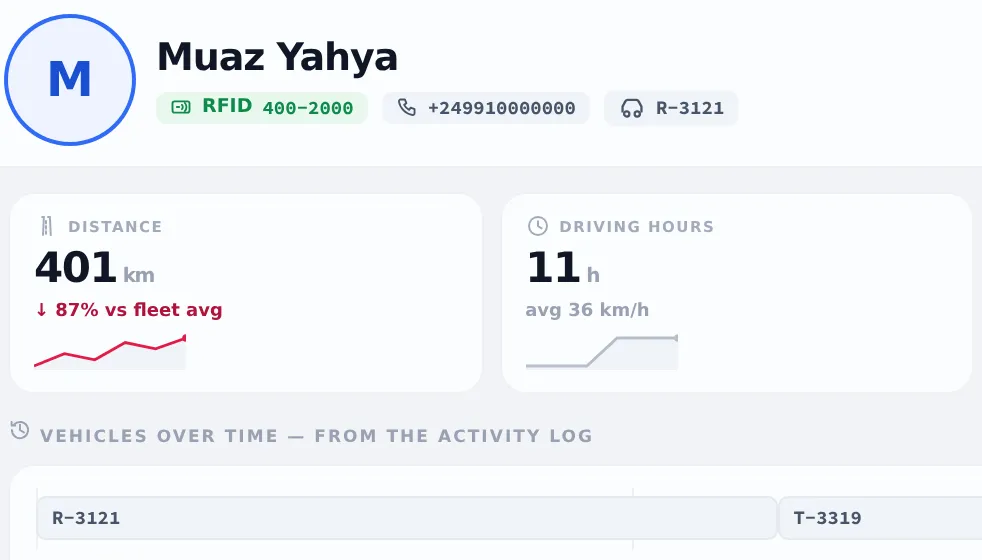
Who drove which vehicle, and when
The driver taps their card on the reader, the platform recognises them and credits them with the trip. A timeline shows the vehicles they drove in the period, and the times they were not assigned to any vehicle.
The platform alerts you when the driver changes, or when someone not allowed to drive a vehicle drives it. The live map list has a drivers tab that shows what each one is driving now.
Compare your drivers
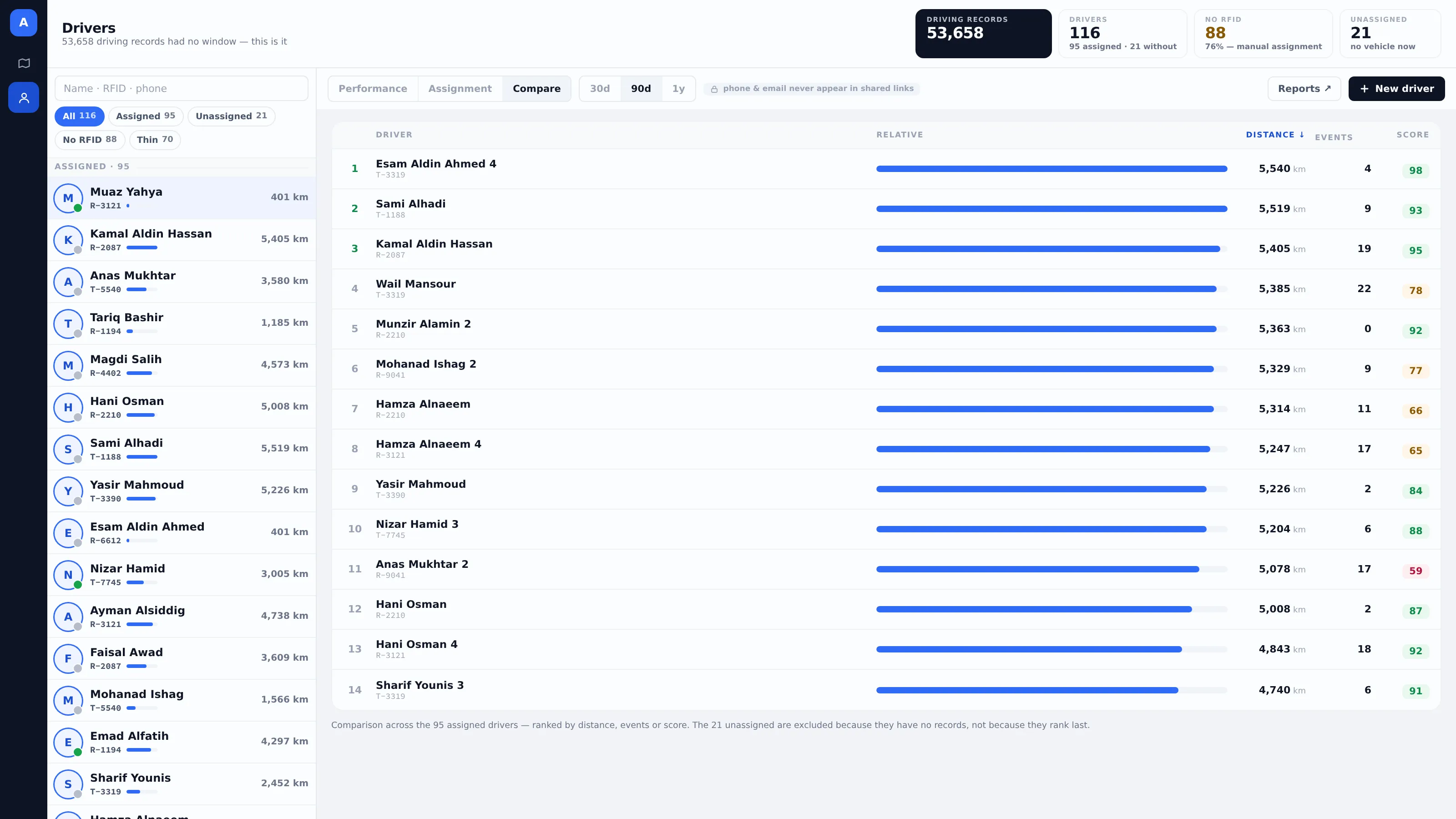
Rank drivers by distance, events or score over the period you choose. The Professional driving rating report compares each driver with the fleet average and lists every violation with its place.
Ready-made driver reports include:
- Driver scorecard
- Driver working hours
- Fatigue and continuous driving
- Night driving
- Trips with driving rating
Your own scoring formula
Set your account's formula: points for speeding by how far over the limit, for acceleration, braking and cornering by severity, and for idling and night driving. Start from a car, truck or bus template, and add criteria from your vehicles' sensors.
On the history map, a layer marks every violation by colour and severity, and takes you to the moment it happened.
Profile, licence and documents
Every driver has a file: licence number, classes and expiry date, ID, medical check, emergency contact, shift and leave. You get an e-mail reminder before a licence or any document expires.
Contact details are masked, and every reveal is logged with the name of whoever revealed them.
Frequently asked questions
How does the platform know who is driving?
The driver taps an RFID card or iButton key, or carries a BLE beacon. The tracker reads it, and the platform credits the trip to that driver.
What if the vehicle has no card reader?
Assign the driver to the vehicle manually, and its trips are credited to them until the assignment changes.
Can my colleagues see drivers' phone numbers?
Contact details are masked, and every reveal is logged. They never appear in shared links.
Is every vehicle scored the same way?
No. You choose a template for each vehicle type, so a bus isn't measured like a car.
Related pages
Reports
One report centre with a ready-made library and a report builder, PDF and Excel export, and e-mail on schedule.
Learn more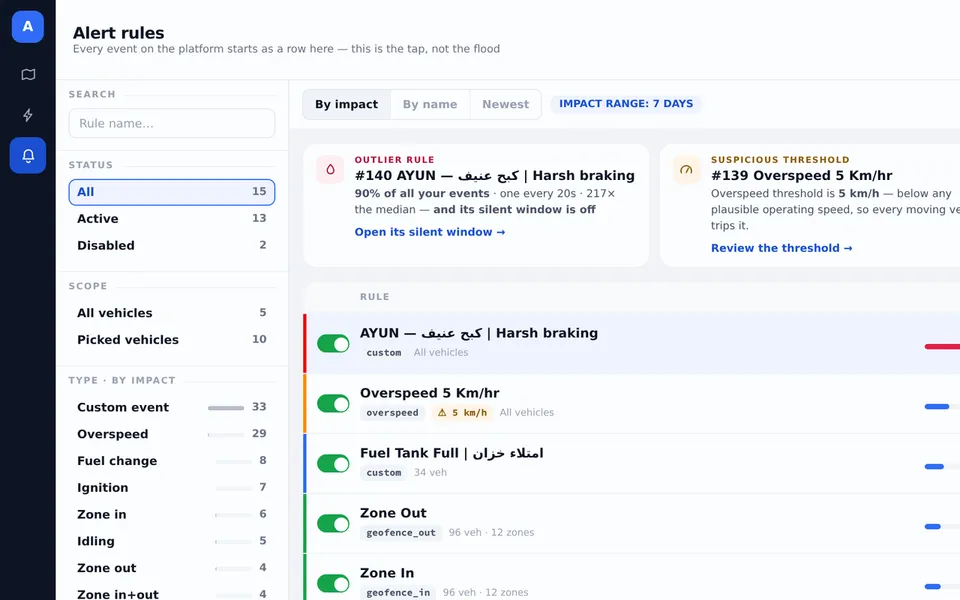
Alert management
Alerts with the types and channels you choose, each rule's impact in view, and fewer repeats reaching your team.
Learn more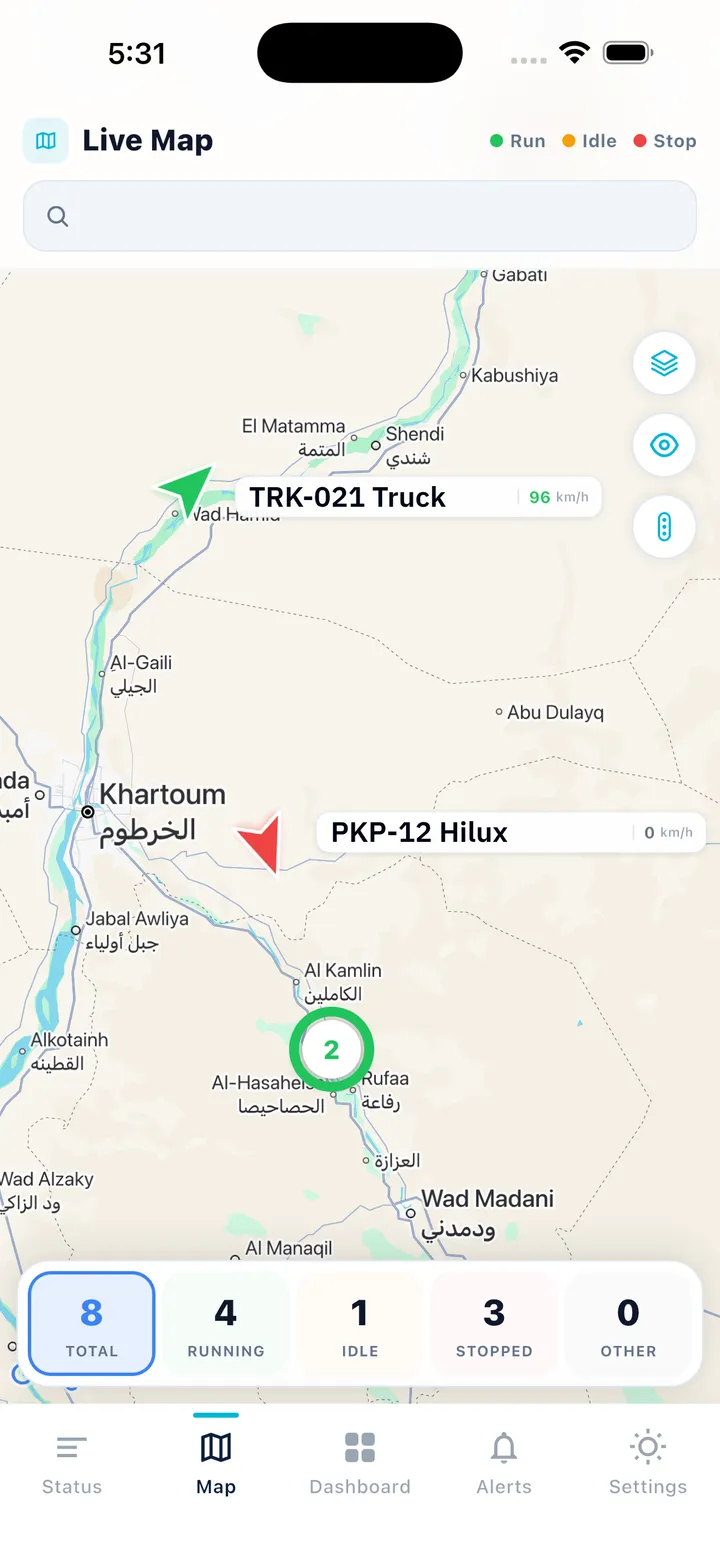
Apps
The Ayun app for iPhone and Android, a driver app, and a technician page with nothing to install.
Learn more


Book a demo of the platform on your fleet
We'll call you within one working day to set a time, then show you the platform on vehicles like yours.
We've received your request, and we'll call you within one working day.
Want a faster reply? Message us on WhatsApp +249 123 910 470